

AI Insights Got an Upgrade — Because You Asked


For most organizations, reporting is still a manual sport. Someone owns the deck. Someone owns the exports. Someone spends a day before every leadership meeting stitching together the same numbers in a slightly different order, hoping nothing changed since they last pulled the data.
That cycle exists not because teams lack tools, but because most tools were built to show data, not to think with it. Dashboards display. They don't reason. They don't adapt. And they definitely don't know that a COO needs a different story than a QA lead.
Crescendo AI Insights now does all of this. And with this release, it takes the biggest step toward becoming an agentic reporting layer that helps teams curate, interpret, and communicate the right insights for the right audience, automatically.
What Users Are Actually Asking For
The clearest signal from the field isn't a feature request. It's a pattern.
Business leaders, COOs, CTOs, heads of marketing, are describing the same scenario: they want to walk into a meeting with the right story already organized. Not a spreadsheet. Not a PDF of screenshots. A curated, visual, audience-specific view of what matters to that particular conversation on that particular day.
One client put it plainly: they want to prepare their insights the way they prepare a presentation. Pull the right widgets, organize them for the right audience, and share it through whatever channel makes sense. The data is there. The intelligence is there. The missing piece is a layer that helps them package it intentionally.
Multi-dashboard support is that layer. And the direction it points toward, narrative-style PDF export, scheduled sharing, audience-specific reporting, is where AI Insights is headed next.
Another piece of feedback was equally telling. A team asked about building a calculator widget to manually input data from an external time-tracking tool so they could combine it with their Crescendo volume data. On the surface, that sounds like a niche request. What it actually reveals is how engaged users are becoming with the idea of AI Insights as a place to blend and analyze data from across their operation, not just from within Crescendo. The right answer to that request is a smarter, more connected system. And that's exactly what's being built.
What's Changed, and Why It Matters
From One Dashboard to Many Narratives
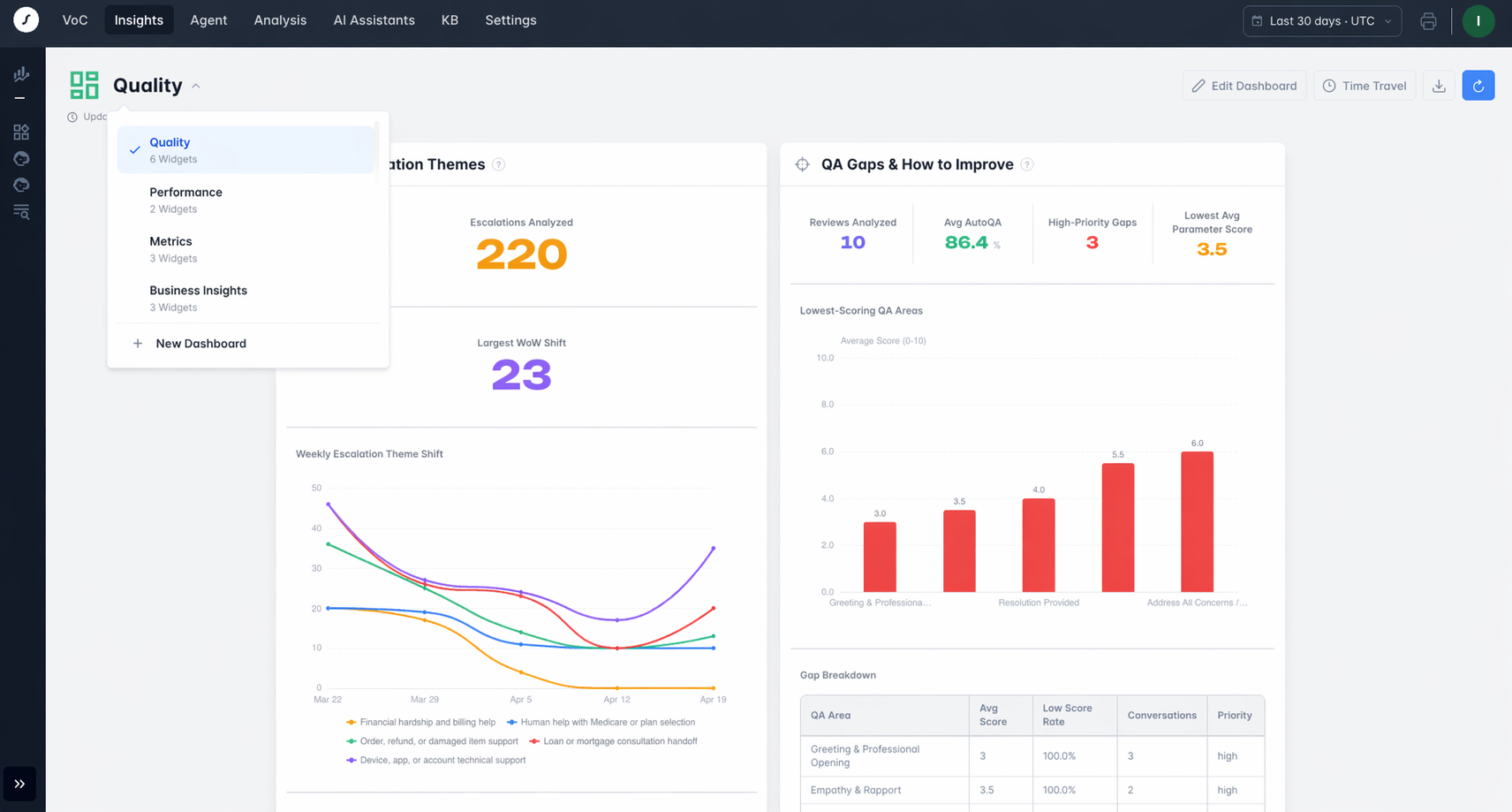
The centerpiece of this release is multi-dashboard support within a single tenant. It's a rapid expansion into more use cases for AI Insights.
Most dashboards try to serve everyone by serving no one in particular. They end up overloaded with metrics that mean different things to different people, and under-useful for any single decision.
AI Insights now lets teams build dashboards around the actual questions being asked. A Quality dashboard for QA leaders tracking what's breaking and why. A Performance dashboard for operations reviewing throughput and response trends. A Business dashboard for executives who need the strategic read, not the operational one. Same tenant, same data, completely different stories, all curated without anyone writing a line of code or submitting a ticket to analytics.
That's not a dashboard upgrade. That's a reporting layer.
The AI Does the Building
Creating a widget in AI Insights doesn't require a data analyst, a prompt engineer, or a technical background. You describe what you want to understand in plain language, and the AI builds the visualization. Want to see how your top issue themes shifted over the last 30 days? Ask. Want to compare AI Assistant solves to Associate escalation patterns? Ask. The system interprets intent and turns it into a structured, refreshable insight that lives in the right dashboard going forward.
This is what agentic AI looks like in practice: not a turn-based interaction, but a system that takes your intent and builds something durable from it. The analysis doesn't disappear when you close the tab. It becomes part of your reporting infrastructure.
One Time Frame, One Source of Truth
A dashboard that shows seven widgets with seven different date ranges isn't a dashboard. It's a collection of separate analyses that happen to be on the same screen.
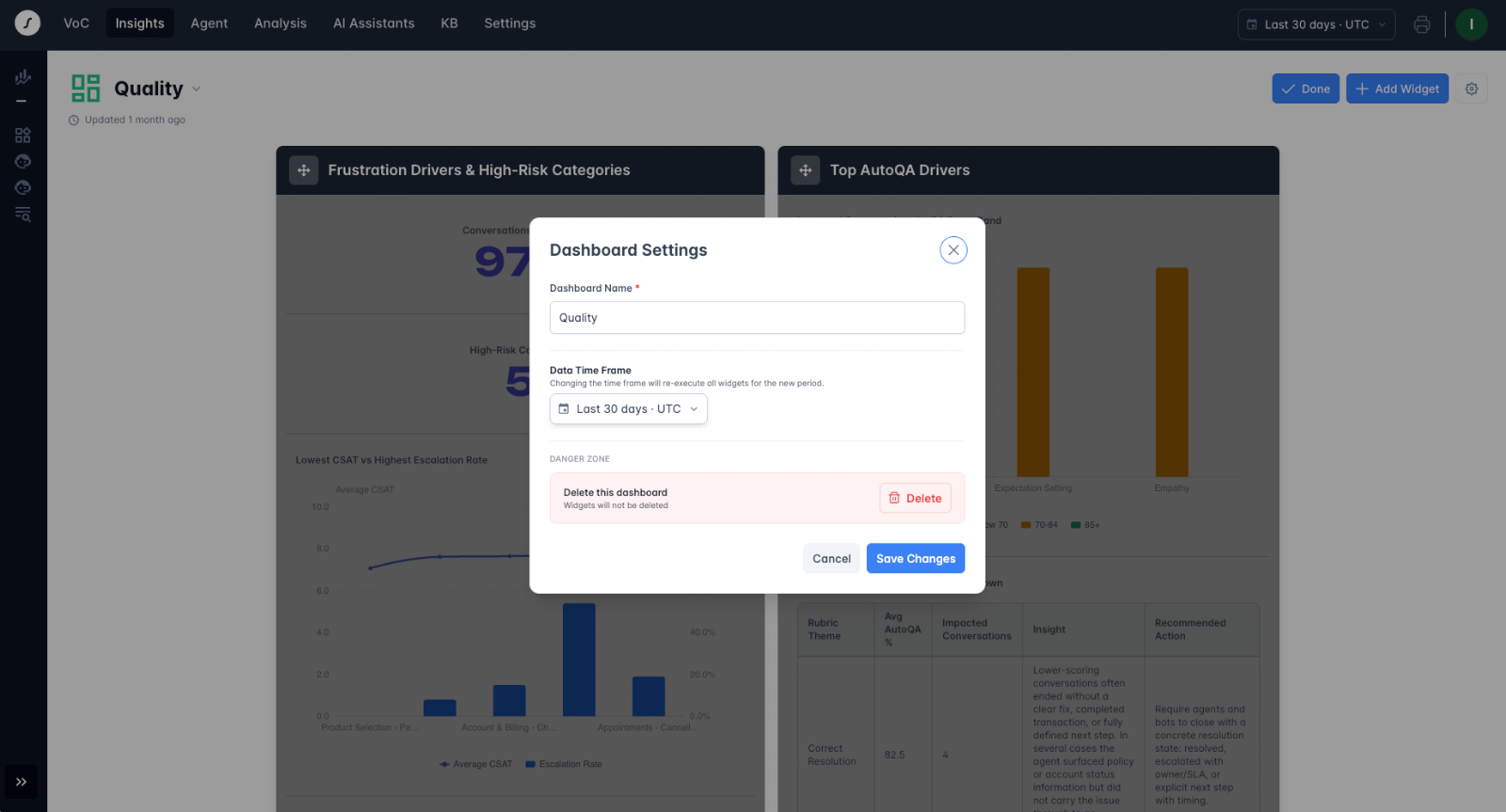
AI Insights now applies time frame control at the dashboard level. You set the reporting window once, and every widget on that dashboard reflects the same lens. When a quality leader is reviewing last week's performance, they're reviewing all of it, not accidentally comparing last week's escalation rate to last month's resolution score.
Deeper Analysis, Built In
Beneath the surface, AI Insights now supports up to five time points within a single widget query. That means you can compare this week to the week before, blend bot conversation data with voice-of-customer signals in one chart, or analyze how a trend evolved across multiple periods, all without leaving the dashboard or rebuilding the analysis from scratch.
This is the foundation for the kind of comparative, multi-layered intelligence that used to require a dedicated analyst and a lot of time. Now it's a natural part of how the product works.
Smarter Controls Behind the Scenes
For teams managing AI Insights across a large organization, a new layer of administrative control is now available. Usage budgets can be set at the tenant level, ensuring AI compute is allocated intentionally rather than left to run unchecked. Administrators can configure custom instructions for how the AI behaves within each tenant, making it easier to tailor terminology, priorities, and behavior to the specific context of each client without hardcoding every edge case.
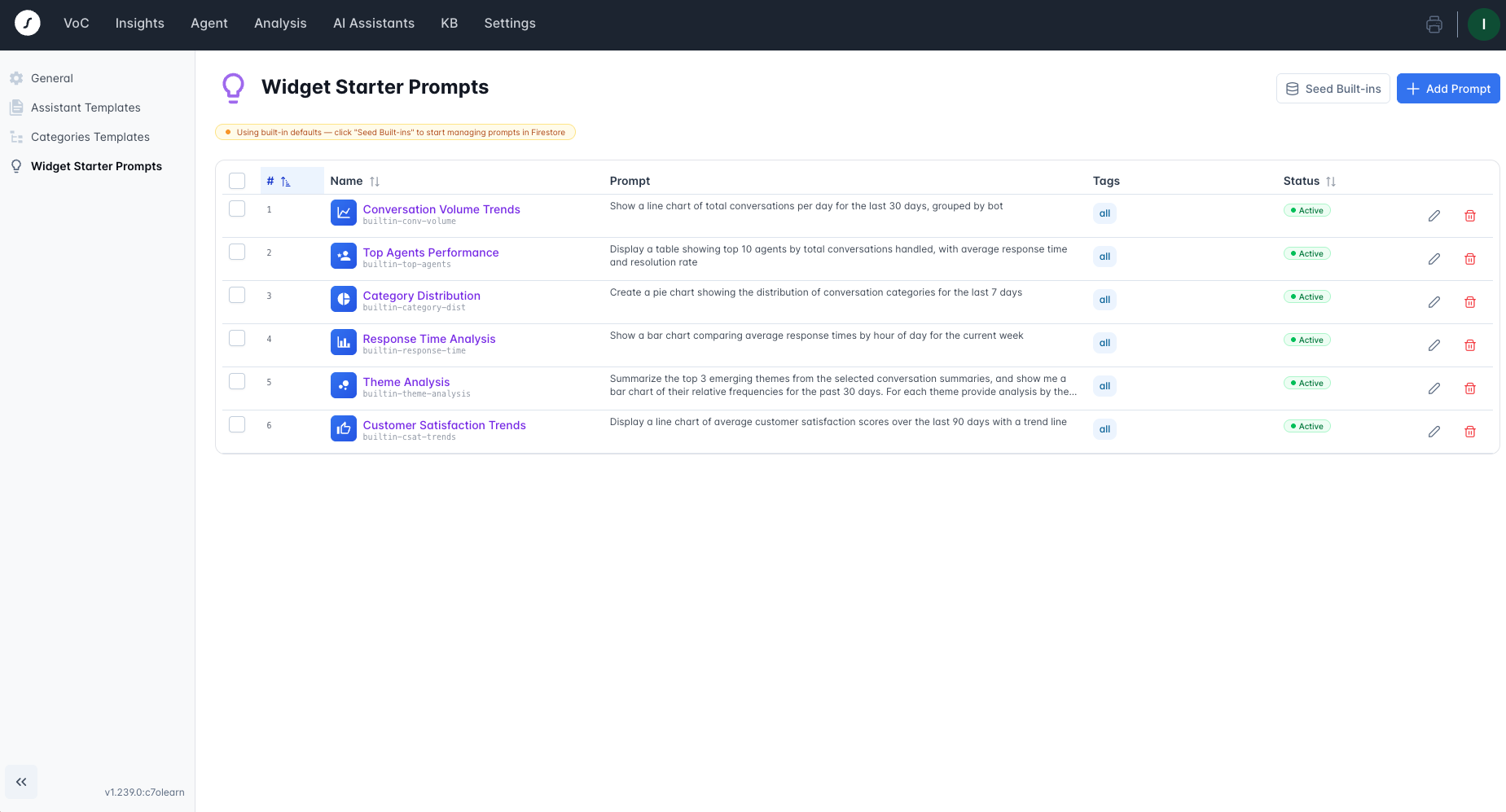
Teams can now also curate the starting experience for their users. A dedicated management interface lets administrators define, organize, and customize the prompts users see when they first open AI Insights, grouped by category, tailored to the business, and staged through a draft-to-active workflow before anything goes live. It's the difference between a user staring at a blank screen and a user being guided immediately toward the analyses that are most relevant to their work.
And for organizations that have developed strong analytical patterns across teams, widgets can now be shared system-wide across tenants, so good thinking doesn't have to be rebuilt from scratch every time.
What This Means for Your Team
AI Insights is no longer a place to generate visualizations. It's the layer where teams curate, interpret, and act on the intelligence that drives their decisions. And it's already on, ready to use, for every Crescendo tenant.
For organizations using Crescendo, this means every team can have the reporting surface they actually need, without depending on a central analytics function to build it for them. Quality leaders, operations managers, and executives can each work from dashboards built around their questions, refreshing automatically, drawing on the full context of customer conversations, and increasingly, on the broader business signals that matter to them.
Run Your Entire CX Operation on One AI-Native Platform

Keep Reading
