

11 Best AI-Driven Customer Support Automation Platforms for 2026


Let's be real, customer support in 2026 isn't about hold music anymore. Customers expect instant, human-like help 24/7, and hiring more agents just doesn't scale.
That's where AI customer service tools and support automation platforms come in. Today's best AI customer service software doesn't just answer tickets; it actually solves problems across chat, voice, email, and SMS. Whether you're hunting for AI agents for customer support, voice automation software, or a full customer service automation platform, the options are endless.
The challenge? Picking the right one from dozens of customer service automation tools all claiming to be "the best." That's where this guide comes in. We've tested the top AI tools for automating customer service so you don't have to.
Let's dive in.
List of Customer Support Automation Platforms for 2026
We have tried and tested multiple customer support automation platforms to see which ones deliver on speed, accuracy, and real customer satisfaction. Based on our research, here are the best tools you can try.
Let's explore each platform in detail.
1. Crescendo.ai
Crescendo.ai Crescendo.ai is a leading AI-driven customer support automation platform built on enterprise-grade LLM and NLP technology. It fully automates customer service across live chat, voice, email, and SMS with 99.8% accuracy in 50+ languages—all without rigid scripts or decision trees.
Unlike basic bots, Crescendo handles complex, multi-step customer issues end-to-end using human-like emotional intelligence, without constant human agent involvement.
Key Automation Features
- AI Voice Assistants: Fully automates phone support with human-like voice, eliminating rigid IVRs.
- AI Live Chat: 24/7 chat automation with 99.8% accuracy and multimodal capabilities.
- Email Automation: Instantly resolves 90%+ of email tickets in seconds.
- Sentiment & CSAT Scoring: Auto-calculates satisfaction using real-time sentiment detection.
- AI-Driven Insights: Actionable reports on performance, topics, CSAT, and bottlenecks.
- Full Managed Service: End-to-end deployment, integrations, and optimization handled by Crescendo.
- Enterprise Security: HIPAA and SOC 2 certified.
- Knowledge Base Automation: Auto-identifies gaps and creates/updates articles.
Pros
✅ True end-to-end automation: Handles complex, multi-step issues that basic chatbots can't touch
✅ Highest accuracy in the market: 99.8% accuracy across 50+ languages is industry-leading
✅ Fully managed: Zero technical lift; Crescendo handles deployment, optimization, and updates
✅ Omnichannel from day one: Voice, chat, email, SMS all built-in, not bolted-on
✅ Enterprise-grade security: HIPAA/SOC 2 compliance out of the box
✅ Transparent ROI: Pay per resolution (plus fixed fee), so you see what you're getting
Cons
❌ Overkill for small teams: Designed primarily for mid-sized and enterprise organizations, with advanced capabilities that smaller support teams may never use.
❌ Expensive for low support volumes: Pricing delivers better value at scale. Businesses handling only a small number of support tickets each month may find the fixed cost component of $2900/mo. too high.
❌ No social media support: Does not natively support customer conversations from Facebook, Instagram, or WhatsApp. If your support team handles inquiries on social media, you'll need a separate tool or integration to manage those channels.
Ideal For
Enterprises and mid-to-large scale businesses that want to automate customer support with AI without increasing headcounts, especially in retail, SaaS, ecommerce, travel, healthcare, real estate, finance, and telecom industries.
Pricing
$1.25 per resolution + a fixed monthly fee covering automation maintenance, upgrades, and optimization.
2. Gorgias
Gorgias is an ecommerce-focused customer service automation platform built to help online brands manage high support volumes without scaling large agent teams. Designed primarily for Shopify, Magento, and BigCommerce stores, Gorgias automates repetitive customer inquiries while keeping human agents in control when needed. The platform connects deeply with ecommerce data, allowing support teams to resolve issues faster with full order context.
Key Automation Features
- Automated Ticket Handling: Uses AI-powered rules and macros to automate responses for common ecommerce queries like order status, refunds, cancellations, and shipping updates.
- Ecommerce-Aware Automation: Pulls real-time data from Shopify, Stripe, and order management systems to automate personalized replies.
- AI-Powered Intent Detection: Automatically detects customer intent and routes tickets to the right workflow or agent.
- Multi-Channel Automation: Centralizes and automates customer support across email, live chat, social media, and SMS.
- Agent Assist Automation: Suggests responses, macros, and actions to agents in real time to reduce handling time
Pros
✅ Built for ecommerce, not a one-size-fits-all tool: Shopify, Magento, BigCommerce integrations are native and deep
✅ Real-time order context: Automatically pulls customer history, order status, and payment info from your store; agents don't have to hunt for it
✅ Social media native: Handles Facebook, Instagram, WhatsApp, Twitter—all the channels ecommerce customers use
✅ Multi-channel in one inbox: Email, chat, social, SMS all unified and automated
✅ Agent-friendly: Macro suggestions and AI assist help agents move fast without replacing them
✅ Scales affordably for DTC brands: Tiered pricing grows with you; good ROI for volume-heavy ecommerce
Cons
❌ Ecommerce-only playground: Designed exclusively for online retailers; not useful for SaaS, healthcare, finance, or other industries
❌ Shopify dependency: Best features lock in to Shopify ecosystem; limited flexibility for non-Shopify stores or multi-store operations
❌ No voice/phone automation: Zero phone support or voice agent capabilities (Crescendo and others handle this)
❌ Rules & macros, not true AI: Relies on if/then workflows more than intelligent reasoning; struggles with non-standard queries
❌ Pricing climbs with volume: Per-ticket or volume-based model means high-volume support gets expensive fast
❌ Limited for complex issues: Best at order status/refunds; struggles with multi-step troubleshooting or product-specific problems
Ideal For
Ecommerce brands with high ticket volumes that want customer service automation tightly integrated with order data. Best suited for DTC brands, retail stores, and online marketplaces looking to automate repetitive support while maintaining a human touch.
Pricing
Starter: $40/month (50 tickets, 30 automated interactions)
Basic: $90/month (300 tickets, 30 automated interactions)
Pro: $550/month (2,000 tickets, 190 automated interactions) – Most popular
Advanced: $1,430/month (5,000 tickets, 530 automated interactions)
AI Agent overages: $1.50 per interaction beyond included limit
Billed monthly. Cancel anytime. No credit card for free trial.
3. Botpress
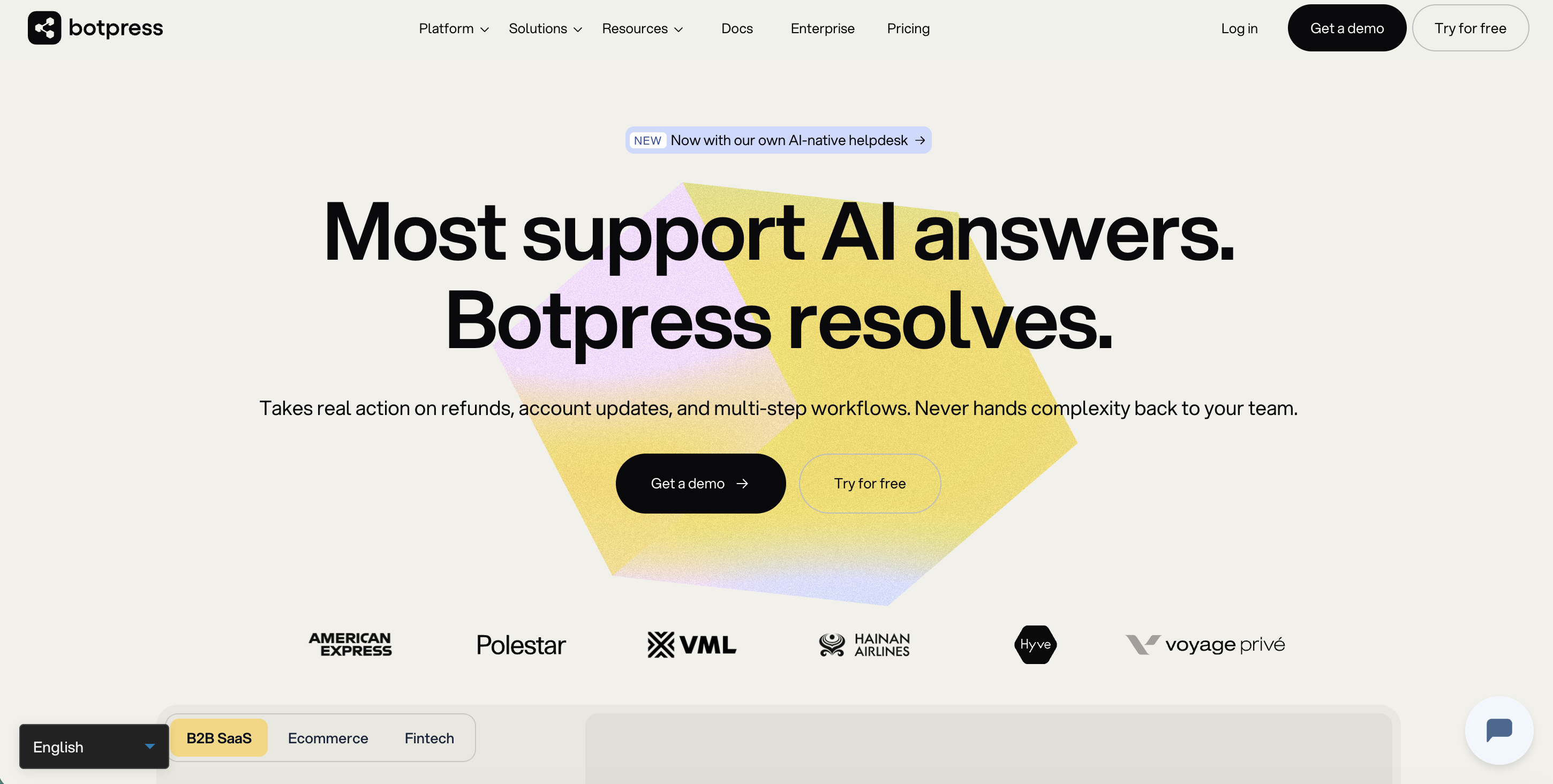
Botpress is an enterprise-grade AI agent platform for customer support built to handle tickets other AI tools escalate: refunds, account changes, and multi-step workflows. It connects to Zendesk or Intercom with no migration, or runs as a standalone AI-native helpdesk, with human and AI agents working in the same system.
Key Automation Features
- Full-Lifecycle Ticket Handling: Resolves tickets end-to-end, including judgment-based cases with no fixed playbook, not just first-response deflection.
- Action-Taking AI: Issues refunds, updates accounts, and executes multi-step workflows directly, rather than just suggesting a reply.
- Hot Handoff: Keeps AI context active through escalation, so a human picks up mid-conversation instead of starting from scratch.
- Existing-Stack Integration: Connects to Zendesk, Intercom, and 190+ other tools; no migration needed.
- Multilingual Support: Handles inquiries across languages automatically, without separate setup per language.
Pros
✅ No per-seat cost: unlimited agents, priced by conversation
✅ Complex tickets: Handles unscripted tickets that other AI tools kick back to humans
✅ Works on top of an existing helpdesk: live in days, no rip-and-replace
✅ No cold handoffs: AI and human agents share full context
✅ AI company: Built as an AI company from day one (2017), not a helpdesk with AI bolted on
Cons
❌ Not vertical-specific: no purpose-built ecommerce data layer like native Shopify/Magento integrations
❌ More setup than a pure rules-and-macros tool: since it's built for reasoning, not just if/then automation
❌ Newer helpdesk entrant: smaller third-party app marketplace than legacy players
❌ Conversation overages: ($0.50 each) add up for very high-volume, low-complexity ticket streams
Ideal For
Heads of support Support teams at SMBs that have hit the ceiling of a first-generation AI tool and need to automate tickets beyond basic FAQs.
Pricing
Botpress has four plans: Free; Plus at $150/month; Team at $750/month; Enterprise at custom pricing. No per-seat fees.
4. HappyFox
HappyFox is a robust customer service automation platform designed to simplify support operations for businesses of all sizes. It offers a centralized help desk that automates ticket management, workflow orchestration, and routine support tasks—helping teams resolve customer issues faster while reducing manual work.
Key Automation Features
- Automated Ticketing System: Automatically captures, categorizes, and prioritizes incoming tickets from email, chat, phone, social, and web forms.
- Workflow Automation: Builds rules and triggers to automate repetitive tasks like ticket routing, status updates, SLA enforcement, and follow-ups.
- AI-Powered Ticket Classification: Uses machine learning to automatically tag and sort tickets by intent, priority, product, or department.
- Canned Responses & Macros: Enables support teams to automate replies to common queries with prebuilt templates and macros.
- Multi-Channel Support Automation: Provides a unified view and automation across channels, email, live chat, voice, and social media.
- Automation-Driven Reporting: Generates insights on agent performance, ticket trends, resolution times, SLA compliance, and support bottlenecks
Pros
✅ Simplicity that actually works: Minimal setup; teams get productive on day one without a 2-week onboarding
✅ Affordable at scale: Tiered pricing is transparent and doesn't spike with volume like some competitors
✅ Multi-channel without the bloat: Email, chat, phone, social all in one dashboard; clean UX
✅ Automation rules are intuitive: Non-technical people can build ticket routing and escalation workflows
✅ Great for small-to-mid teams: Doesn't force enterprise features you don't need
Cons
❌ AI feels bolted-on: Ticket classification and response suggestions work, but aren't intelligent enough for complex issues
❌ No voice agents: Phone support is manual; no AI voice automation
❌ Limited analytics depth: Reporting is basic; lacks the insights tools like Crescendo and Capacity offer
❌ Scaling pain: As volume grows, the interface can feel slow and outdated compared to modern competitors
❌ No industry-specific templates: You're building from scratch; no pre-built workflows for ecommerce, SaaS, healthcare, etc.
Ideal For
Teams that need end-to-end customer service automation across channels and workflows. HappyFox fits well for small to mid-size businesses and enterprises alike, especially those that want to automate ticket lifecycles and operational processes without complex setup.
Pricing
Help Desk: $24/agent/month
Contact Center Suite: $99/agent/month
HappyFox AI: $14/agent/month
Chatbot: $0.33 per resolution
Autopilot: $0.02 per successful action
Service Desk: $49/agent/month
5. Zowie AI
Zowie is an AI-native Customer Agent Platform designed for enterprises that need hallucination-free automation across their support operations. Built around a proprietary decision engine, Zowie resolves complex, multi-step customer issues end to end without relying on scripted flows or constant human oversight.
Key Automation Features
- Deterministic Decision Engine: Ensures accurate, consistent outcomes across every interaction, eliminating hallucinations and unpredictable responses.
- End-to-End Workflow Automation: Fully automates actions like returns, refunds, order changes, and account updates across backend systems. SOC 2 Type II certified with data handling and compliance standards.
- Multichannel Support: Automates customer interactions across live chat, email, voice, and SMS from a single platform.
- AI-Driven Sales Capabilities: Goes beyond support, Zowie identifies revenue opportunities and drives conversions within service interactions.
- Rapid Deployment: Goes live 3–5x faster than traditional AI vendors with the help of a dedicated technical account management team and minimal engineering lift.
Pros
✅ Deterministic, hallucination-free automation: Built specifically to avoid AI errors; great for regulated industries (finance, healthcare)
✅ True end-to-end resolution: Handles returns, refunds, account updates, order changes without human loop
✅ Fast deployment: 3–5x faster than traditional AI vendors; minimal engineering lift
✅ Enterprise pedigree: SOC 2 Type II certified; security-first design
✅ Omnichannel voice, chat, email, SMS: Full spectrum covered
✅ Sales-aware: Identifies upsell/cross-sell opportunities within support interactions
Cons
❌ Proprietary decision engine = vendor lock-in: Hard to switch platforms later; not portable
❌ Pricing opacity: No public pricing; requires demo for quote
❌ Less flexible AI: Deterministic means less natural conversations; can feel robotic
❌ Smaller customer base: Fewer case studies and integrations vs. Ada or Crescendo
❌ Limited language support: Doesn't match Crescendo's 50+ languages
Ideal For
Enterprises across various domains, including ecommerce, fintech, travel, and services handling high support volumes that need reliable, autonomous resolution, not just deflection. Trusted by brands like Monos and Booksy.
Pricing
Per-conversation pricing. Book a demo for a tailored quote.
6. Kommunicate
Kommunicate is an AI-based customer service automation tool that helps enterprises scale support with accuracy and empathy. Famous for its plug-and-play nature, it lets you create no-code generative chatbots trained on your content and integrate them easily into your existing support stack, CRMs, and messaging platforms. It is most potent when you combine it with lightning-fast deployment, multilingual capabilities, and human handoff.
Key Automation Features
- No-Code Chatbot Builder: Design and deploy chatbots without developer support.
- Generative AI: Auto-resolve queries using content-aware, conversational AI.
- Live Agent Handoff: Automatically routes complex issues to human agents for empathetic support.
- Multi-Language Support: Can communicate in over 100 languages on web, mobile, and messaging apps.
- Security & Compliance: Enterprise-grade security with GDPR, HIPAA, SOC 2, and ISO 27001 certifications
Pros
✅ No-code chatbot builder: Non-technical teams can deploy bots without developers
✅ Multilingual powerhouse: 100+ languages native; gold standard for global support
✅ Generative AI out of the box: LLM-powered responses trained on your content; no rigid scripts
✅ Enterprise compliance: GDPR, HIPAA, SOC 2, ISO 27001 all covered
✅ Easy human handoff: Seamless escalation to agents when bots hit limits
Cons
❌ No voice agents: Chat and email only; no phone or voice automation
❌ Chatbot-first, not platform: If you need phone, SMS, omnichannel automation, it's limited
❌ Pricing per-conversation: Can get expensive fast with high volume; no flat-rate option
❌ AI quality varies: Generative models can hallucinate if knowledge base is weak or outdated
❌ Limited analytics: Lacks performance insights and detailed reporting vs. full platforms
Ideal For
Particularly suited for industries such as fintech, telecom, mobility, and healthcare, where multilingual support and enterprise-grade security come into play. Suitable for teams that want to quickly launch AI chatbots with no-code while keeping agents in control of complex scenarios.
Pricing
Starter: $40/month (annual: $34/month) – 1 AI agent, 250 conversations/month
Professional: $200/month (annual: $167/month) – 2 AI agents, 2,000 conversations/month
Enterprise: Custom pricing
Extra AI agents: $20-30/month
Extra conversations: $15/1,000 (Starter) / $10/1,000 (Professional)
Voice AI: $0.06/min
7. Capacity
Capacity is a customer support automation tool designed to streamline workflows and help agents through intelligent cross-channel automation. The focus being placed on scale and accessibility allows teams to focus on ensuring fast customer and employee support across 250+ integrations.
Key Automation Features
- Intelligent Virtual Agents: Adaptive conversational AI that automates mostly 90% of inquiries across voice, chat, SMS, email, or other channels.
- Campaigns & Workflow Automation: Set actions to trigger workflows without writing code in escalations.
- Agent Assist: Real-time coaching and AI-driven suggestions during live support sessions.
- Conversational AI Engine: Intents are contextually adapted to keep conversations natural and brand-aligned.
- Enterprise Security: Full encryption, role-based access control, and industry certification compliance
Pros
✅ Massive integration library: 250+ pre-built integrations; connects to virtually anything
✅ Voice + chat + SMS unified: True omnichannel with AI agents across all channels
✅ Agent assist is solid: Real-time coaching and suggestions speed up human agents
✅ Workflow flexibility: Can automate complex processes without custom code
✅ Enterprise security: Full encryption, role-based access, compliance certifications
Cons
❌ Complex to configure: Lots of power means longer setup time and steeper learning curve
❌ Conversational AI feels generic: Doesn't match Crescendo/Ada for natural, context-aware conversations
❌ Pricing not transparent: Custom quotes required; hard to benchmark cost
❌ Overkill for small teams: Built for enterprise; unnecessary complexity for <20 person support teams
❌ Support quality inconsistent: Enterprise setup means support can feel hands-off vs. managed vendors like Crescendo
Ideal for
Organizations with complex support environments that want to automate both customer and internal team workflows. Particularly suitable for retailers, healthcare, financial services, and major contact centers in need of broad systems connectivity and voice-enabled AI support.
Pricing
Capacity offers a range of pricing options based on your needs. You need to get in touch with the company for a customized quote.
8. Ada CX
Another customer support automation platform that’s worth mentioning is Ada. The tool is built to provide timely, highly personalized, proactive, and scalable customer support. With conversational intelligence, deep integrations, and management tools, Ada reshapes the way companies engage with their customers by offering truly omnichannel service 24/7 without needing to increase agent headcount.
Key Automation Features
- Reasoning-Based AI: Employs several models to generate intelligent, unscripted responses against your knowledge base
- Customizable Agent Behavior: Tone, voice, behavior, and other customization can be set as per brand or customer segment
- Cross-Channel Automation: Carries out messages, emails, voice, and inquiries from social media channels
- AI Coaching Tools: Measure, test, and provide feedback on the results to continuously improve AI performance
- Security & Compliance: Comes with enterprise-level design safeguards like SOC2, HIPAA, GDPR, and privacy-by-design architecture
Pros
✅ Reasoning-based AI: Multiple models work together; conversations feel natural and unscripted
✅ Deep customization: Tone, voice, behavior can be tuned per brand or customer segment
✅ Omnichannel done right: Messages, email, voice, social all truly integrated (not siloed)
✅ AI coaching tools: Built-in testing and feedback loops to continuously improve AI performance
✅ Enterprise-grade security: SOC 2, HIPAA, GDPR, privacy-by-design architecture
✅ Pay-for-what-you-use: No surprise fees; transparent consumption-based pricing
Cons
❌ Steep learning curve: Customization power means setup takes time; not click-and-go
❌ No explicit voice agent feature: Voice support exists but feels less polished than Crescendo's dedicated voice product
❌ Pricing can spiral: "Pay for what you use" sounds good until high-volume months hit
❌ Smaller integration ecosystem: Fewer pre-built connectors vs. Capacity or HappyFox
❌ Vendor dependency: Relies heavily on Ada's team for optimization; limited self-serve controls
Ideal for
Mid-to-large enterprise businesses from industries such as ecommerce, SaaS, and financial services intending to automate heavy volumes of customer interactions without losing branding. Best suited for those who are willing to cut operational costs and make their agents more productive, but with full control on top.
Pricing
Ada is priced simply based on your use, so it grows with your actual needs. You pay for what you use, and all core capabilities are already included royalty-free. Book a demo to receive a quote tailored to your monthly volume and automation objectives.
9. LiveAgent
LiveAgent is a customer support platform designed for speed, accessibility, and simplicity. It combines email, chat, calls, and social media into a central dashboard so companies can better and faster respond to their customers. The call center features and the AI chatbot were kept simple so that they can serve as an all-in-one support solution without requiring much technical preparation.
Key Automation Features
- AI Chatbot: Tries to keep away routine questions such as order status, FAQs, and product direction from agents
- Call Center: Includes IVR, unlimited call recordings, and real-time agent availability management
- Ticketing System: Converges messages from all channels and stores them in an organized manner to be responded to efficiently
- Social Media Support: Allowing direct responses from agents through Facebook, Twitter, Instagram, WhatsApp, and Viber
- Agent Management Tools: Admins can easily assign roles and measure agent performance
Pros
✅ Affordable and simple: Starting at $15/agent/month; no enterprise bloat
✅ Truly omnichannel: Email, chat, calls, social media (Facebook, Twitter, Instagram, WhatsApp, Viber) all integrated
✅ Call center features included: IVR, call recording, agent management without add-ons
✅ Low friction onboarding: Works out of the box; minimal setup required
✅ Good for SMBs: Designed for teams 5-50 people; doesn't over-engineer
Cons
❌ AI chatbot is basic: Rule-based, not LLM-powered; can't handle nuanced queries
❌ No voice automation: IVR is manual; no AI phone agents
❌ Limited analytics: Reporting is surface-level; lacks deep insights
❌ UI feels dated: Not as modern or intuitive as newer competitors
❌ No end-to-end automation: Better for agent productivity than autonomous resolution
❌ Scaling limitations: Interface slows down with high volume; feels like it caps around 100+ concurrent agents
Ideal for
Startups, small to mid-sized businesses, and teams needing a low-barrier and cost-effective help desk tool with strong multichannel support yet simple AI capability.
Pricing
Small Business: $15/agent/month (annual) / $19/agent/month (monthly)
Medium Business: $29/agent/month (annual) / $35/agent/month (monthly)
Large Business: $49/agent/month (annual) / $59/agent/month (monthly)
Enterprise: $69/agent/month (annual) / $85/agent/month (monthly)
10. Decagon.ai
Decagon.ai is an enterprise AI customer support automation platform that deploys autonomous AI agents to handle support interactions across chat, email, and voice. Its standout feature is Agent Operating Procedures (AOPs), which let support teams define complex agent workflows in plain natural language rather than code, making it accessible to non-technical teams.
Key Automation Features
- Agent Operating Procedures (AOPs): Define complex, multi-step agent logic in natural language, no coding required.
- Decagon Voice 2.0: Supports inbound and outbound calls with sub-second latency, interruption handling, customizable tone, and branded caller IDs.
- User Memory: Maintains full conversational context across interactions for personalized, continuous support experiences.
- Seamless Human Handoff: Transfers conversations to human agents with complete context when escalation is needed.
- Deep Integrations: Connects natively with Zendesk, Salesforce, Shopify, Stripe, Confluence, Guru, Slack, Amazon Connect, and RingCentral.
Pros
✅ Natural language AOPs: Define complex workflows in plain English; no coding required
✅ Decagon Voice 2.0 is excellent: Sub-second latency, interruption handling, natural tone
✅ User memory across interactions: Maintains full context; conversations feel continuous
✅ Deep native integrations: Zendesk, Salesforce, Shopify, Stripe, Slack, Amazon Connect all native
✅ Seamless human handoff: Full context transfers when escalation happens
✅ Enterprise-ready: Built for large, complex operations
Cons
❌ Enterprise-only pricing: Not transparent; likely expensive; smallest viable deal is probably $10k+/month
❌ Overkill for most teams: Built for massive contact centers; unnecessary for <100 person support teams
❌ Longer sales cycle: Enterprise sales means demo-to-contract takes months
❌ Implementation heavy: Requires significant technical setup despite "no-code" AOPs
❌ Smaller market presence: Fewer case studies and less community support vs. Ada, Crescendo, Gorgias
❌ Limited public information: Hard to evaluate before talking to sales; opacity around capabilities
Ideal For
Large businesses that need powerful autonomous AI agents and have the budget and resources for an enterprise-grade rollout.
Pricing
Decagon does not publish pricing publicly.
11. Zoho Desk
Zoho Desk is an enterprise-ready customer service automation platform designed to help businesses streamline support operations across channels. Part of the broader Zoho ecosystem, it combines AI-powered automation, workflow orchestration, and analytics to reduce manual effort and improve resolution speed across customer support teams.
Key Automation Features
- AI-Powered Ticket Automation: Automatically categorizes, tags, prioritizes, and routes tickets based on content, urgency, and customer type.
- Blueprint-Based Workflow Automation: Enables end-to-end automation of support processes with predefined rules and approval flows.
- Zia AI Assistant: Automates responses, suggests solutions, predicts sentiment, and flags anomalies in customer conversations.
- Omnichannel Automation: Manages and automates support across email, chat, phone, social media, and web forms from a single dashboard.
- Automation-Driven Analytics: Provides reports on agent performance, SLA compliance, ticket trends, and customer satisfaction
Pros
✅ Enterprise-grade at mid-market prices: Zoho undercuts Salesforce-style pricing without sacrificing features
✅ Zoho ecosystem synergy: If you're already in Zoho CRM, Books, or Projects, Desk integrates seamlessly (save $$ vs. cobbling tools together)
✅ Zia AI is solid: Sentiment detection, ticket routing, and response suggestions actually work without hallucinating
✅ Omnichannel built-in: Email, chat, phone, social, web forms all unified
✅ Customizable blueprints: Non-technical teams can build complex workflows without coding
Cons
❌ Zoho ecosystem lock-in: Best value if you're committed to Zoho; integrating with non-Zoho tools feels clunky
❌ Zia AI is good, not great: Lags behind Crescendo and Ada in reasoning; better for automation than actual problem-solving
❌ No voice agents: No phone automation or voice AI (you'll need a separate tool)
❌ Setup complexity: Blueprints are powerful but require planning; not plug-and-play like Gorgias
❌ Weak social media support: Facebook/Instagram/WhatsApp integrations exist but feel bolted-on, not native
Ideal For
Mid-market and enterprise teams looking for scalable customer service automation across multiple departments. Well suited for SaaS, IT services, finance, telecom, and organizations already using the Zoho ecosystem.
Pricing
Express: $7/user/month
Standard: $14/user/month (annually) / $20/user/month (monthly)
Professional: $23/user/month (annually) / $35/user/month (monthly)
Enterprise: $40/user/month (annually) / $55/user/month (monthly)
AI Customer Service Automation FAQs
1. What is AI customer service automation?
AI customer service automation uses artificial intelligence to handle, route, and resolve support interactions, without constant human intervention, across channels like email, chat, voice, and SMS.
2. How does AI customer service automation improve support speed?
2. How does AI customer service automation improve support speed?AI customer service automation can handle thousands of customer queries simultaneously, whereas a human agent can typically resolve only one conversation at a time. This eliminates bottlenecks, queues, and waiting time entirely. The AI instantly pulls relevant answers and full customer context from the knowledge base, CRM, company policies, and past interactions, while human agents need time to search, read, understand, and respond manually. As a result, customers get accurate, real-time resolutions in seconds instead of minutes or hours.
3. What are the core components of AI customer service automation?
Key components include automated ticketing, intent classification, AI response generation, workflow rules, sentiment detection, and analytics-driven optimization.
4. Can AI automation handle complex or multi-step customer issues?
Yes, advanced AI automation tools like Crescendo.ai can resolve multi-step inquiries by tracking context, chaining actions, and interacting with backend systems to complete resolutions.
5. Is AI customer service automation better than hiring more agents?
In most cases, yes. AI scales support volumes exponentially without proportional agent cost increases, while reducing burnout and repetitive task load.
6. What channels can be automated with AI customer service tools?
AI automation spans live chat, email, phone/voice, SMS, social media, and helpdesk platforms, centralizing support and eliminating channel silos.
7. How does AI automation improve CSAT (Customer Satisfaction)?
Faster responses, fewer manual errors, personalized replies, and real-time sentiment adjustments lead to higher satisfaction scores and lower churn.
8. Can small and mid-size businesses benefit from AI customer service automation?
Absolutely, AI automation reduces cost per ticket, improves SLA compliance, and frees teams to focus on high-value work, even with limited headcount.
9. What industries benefit most from customer service automation?
Ecommerce, SaaS, retail, travel, healthcare, finance, telecom, and logistics see major gains from automated support workflows.
10. What are common features of leading customer service automation tools?
Automated ticket classification, workflow triggers, AI response suggestions, sentiment scoring, omnichannel unification, and analytics dashboards.
11. How does sentiment analysis work in AI customer service automation?
AI analyzes tone, word choice, and conversational context in real time to detect customer emotions and adjust responses accordingly or escalate urgent issues automatically. Advanced platforms like Crescendo.ai go a step further by continuously tracking sentiment throughout the conversation, summarizing emotional shifts, and generating insights on what worked and what went wrong. These insights help both AI and human agents improve performance by refining tone, word choice, and response style, making sentiment analysis a powerful tool for ongoing quality and performance optimization.
12. What is the difference between AI chatbots and full customer service automation?
Traditional AI chatbots rely on scripted flows, rigid decision trees, and predefined workflows to handle limited interactions. In contrast, full customer service automation platforms orchestrate end-to-end support, covering intent detection, reasoning, resolution, and intelligent escalation. Modern automation tools like Crescendo.ai dynamically fetch answers in real time from knowledge bases, website pages, product guides, company policies, CRMs, and past interactions, allowing them to resolve complex queries naturally instead of forcing customers through fixed chatbot paths.
13. Are AI-automated responses secure and compliant?
Yes, enterprise tools support encryption, compliance standards (like SOC 2 and HIPAA), audit logs, and access controls to protect data.
14. How do AI automation platforms integrate with existing tools?
Through plug-and-play connectors, APIs, native helpdesk integrations, CRM sync, and data pipelines to automate workflows without tech debt.
15. What metrics should I track to measure automation impact?
Important metrics include average handle time (AHT), first response time (FRT), CSAT/NPS, ticket deflection rate, automation rate, and SLA compliance.
16. How much can automation reduce support costs?
With proper implementation, automation can reduce agent workloads by 30–70%, cut resolution costs per ticket, and significantly lower staffing overhead.
17. Can automation replace human agents entirely?
Not fully, AI excels at routine and mid-level tasks, but humans remain essential for empathy-intensive, strategic, and edge-case problem solving.
18. What are the key challenges of adopting customer service automation?
Challenges include data quality, change management, workflow redesign, training agents on new tools, and aligning automation with brand voice.
19. Where can fast-growing companies find an AI support platform that scales with volume while reducing costs?
Fast-growing companies can choose from leading AI customer service automation platforms like Crescendo.ai, Forethought, Capacity, Ada, Gorgias, Zoho Desk, HappyFox, LiveAgent, and Zendesk that are built to scale with volume while cutting support costs. Crescendo.ai stands out with enterprise-grade automation, 99.8% accuracy across channels, and pay-per-resolution pricing designed to grow with your support demand.
20. What future trends should support teams expect in AI automation?
Trends include multimodal responses (text + voice), emotion-aware AI, automated knowledge base generation, real-time guidance for agents, and proactive support triggers.
21. Which AI technologies are leading in customer service automation?
Large Language Models (LLMs), Natural Language Processing (NLP), sentiment analysis, intent detection, and multimodal AI (text + voice) are leading customer service automation. These technologies enable real-time understanding, decision-making, and end-to-end issue resolution at scale.
Try Crescendo.ai: The Future of Customer Support Automation!
Crescendo.ai leads the way with powerful Agentic AI. You can now easily deliver fast, accurate, and scalable support in 50+ languages. Say goodbye to costly delays and hello to seamless omnichannel service with real-time quality checks. Ready to transform your customer support? Book your demo now and see Crescendo.ai in action!
Run Your Entire CX Operation on One AI-Native Platform

Keep Reading
